

Solo engineers and DevOps generalists who want AI-driven file automation often face the same trade-off: no-code cloud platforms are easy but route data through third-party APIs, and rolling infrastructure from scratch is heavy. The n8n Self-Hosted AI Starter Kit offers a middle path: a single Docker Compose file that brings up n8n, PostgreSQL, Ollama, and Qdrant so workflows can run entirely on private hardware. This guide walks through what each of the kit's five services does, how n8n and the Model Context Protocol (MCP) split orchestration from AI processing, and which of the five hosting environments — from a personal laptop up to an on-premises cluster — fits a given budget. The intended audience is technical readers comfortable with Docker, the terminal, and basic networking, who need AI tooling without surrendering control of their data.

The n8n Self-Hosted AI Starter Kit is distributed as a single docker-compose.yml that orchestrates five cooperating containers. Each service has a narrow responsibility, and together they form a self-contained AI runtime: orchestration, storage, inference, retrieval, and seeding.
The main service uses the n8nio/n8n:latest image and publishes its visual workflow editor and REST API on port 5678. It is the orchestration layer: triggers, transformations, HTTP calls, and AI nodes all execute inside this container, while the other services handle persistence and model work. State that is not stored on the filesystem (workflow definitions, credentials, execution logs) is written to PostgreSQL.
Backed by the postgres:16-alpine image, this service is the durable backbone of the stack. It holds workflow JSON, encrypted credentials, and execution history. Port 5432 is intentionally kept internal to the Docker network so that no external client can reach the database directly; n8n is the only legitimate writer. Losing this volume means losing workflows and credentials, so it is treated as critical state from day one.
Pulled from ollama/ollama:latest, Ollama provides local LLM inference on port 11434. The kit's profiles let the same image target different hardware, ranging from CPU-only runs of compact models like Llama 3.2 3B on modest machines up to larger 70B-class models on a dedicated accelerator. From inside the Docker network n8n reaches it as http://ollama:11434.
Qdrant (qdrant/qdrant) serves as the vector database for retrieval-augmented generation on port 6333. n8n's vector-store nodes point at Qdrant to store embeddings generated by Ollama and to perform similarity search during RAG steps.
A second n8nio/n8n:latest container, n8n-import, runs only on first startup. Its job is to seed the database with demo workflows that exercise the AI nodes, so a fresh installation is interactive rather than empty. Once seeding completes it exits and does not consume resources.
Docker Compose profiles decide which Ollama variant is built and started: gpu-nvidia, gpu-amd, or cpu. The canonical command for an NVIDIA host is:
docker compose --profile gpu-nvidia up -d
State survives restarts through named volumes for n8n and PostgreSQL and through the bind-mount path for Ollama models. All credentials, database passwords, and the N8N_ENCRYPTION_KEY that protects stored secrets are read from a local .env file (copied from .env.example) and never committed to version control.
The official documentation is explicit: the kit is a starting point intended for local exploration and proof-of-concept work, not production. Before exposing it externally you must rotate the default keys, restrict the published ports, put it behind a reverse proxy with TLS, and configure backups for both the PostgreSQL volume and the n8n storage volume.

n8n sits at the front of the pipeline as the workflow engine. Its job is everything that happens around the AI call: scheduling, file watching, event routing, retry logic, and delivering results to downstream systems. In a typical self-hosted file automation pipeline, n8n exposes trigger nodes (Cron, Webhook, File Watcher), data nodes (Read/Write File, Move File, Postgres), control-flow nodes (Wait, IF, Switch, Loop), and integration nodes (Slack, Email, GitHub, S3, Notion, CMS APIs). Because n8n persists execution state in PostgreSQL and renders every run as a visual graph, it doubles as the audit trail for AI-driven actions — useful when a local model produces an unexpected output.
MCP (the Model Context Protocol, open-sourced by Anthropic in November 2024) is the standardized interface that lets an AI model discover and invoke external capabilities. An MCP server is a JSON-RPC 2.0 process that exposes three primitives — Tools (functions the model can call), Resources (data the model can read), and Prompts (reusable templates) — over stdio or streamable HTTP. This client-server split is what makes the protocol portable: Claude, Cursor, ChatGPT, Windsurf, and Gemini have all adopted it, and a single MCP server can be reused across models without rewriting glue code. In the starter kit, MCP is the layer that wraps the local Ollama model, vector store, and any private API so they can be addressed through one schema instead of bespoke integrations.
For batch and scripted use, MCP ships a CLI (mcp from the mcp[cli] extra) that runs servers, opens them in the MCP Inspector for debugging (mcp dev), and installs them into editors (mcp install). A complementary CLI-first tool — also referenced as MCP in the self-hosted stack community — acts as a scriptable wrapper that pipes input and output between files and accepts YAML configs such as mcp run summarize.yaml to specify input directory, output directory, model endpoint, and prompt template. This makes it natural to drop into cron jobs, shell scripts, or an n8n Execute Command node.
The two layers compose into a repeatable pattern:
/inbox./outbox.Because MCP handles discovery and the CLI handles I/O, n8n only needs to know when and where — the model and its tool surface stay swappable underneath.

Translating the n8n starter kit into a working pipeline starts with a concrete problem: a directory fills up with rough Markdown notes that need consistent formatting, summarization, and a place to land. The following six-node pipeline shows how the stack's services share the work, and it mirrors the demo workflows the starter kit ships in its n8n-import service.
The Local File Trigger node fires whenever a new or modified file appears in a watched folder inside the container. Because n8n runs as n8nio/n8n:latest on the Docker network, the watched path has to be a bind mount (for example, ./inbox:/data/inbox) declared in docker-compose.yml. The trigger emits an item whose binary payload references the file path that downstream nodes consume.
The Execute Command node shells out to an MCP client. MCP, the Model Context Protocol released by Anthropic in November 2024, standardizes how an LLM application exposes tools and contextual information to a model. In this pipeline, the command looks roughly like mcp run cleanup.yaml --input {{$json.binary.data}}, where cleanup.yaml declares the prompt template, the target model, and the input/output paths. The MCP client formats the request, calls the configured backend, and writes the cleaned Markdown back to disk.
The MCP server routes the prompt to Ollama (ollama/ollama:latest) over the internal Docker network on port 11434. Inside n8n, the AI node is configured with credentials pointing at http://ollama:11434, selecting a chat model such as llama3.2. For embedding generation the same credential can select nomic-embed-text.
Local LLM calls on CPU hardware routinely take several seconds, and longer for larger contexts. A Wait node configured for5–15 seconds (or a polling loop that re-checks the output file) prevents the workflow from racing ahead before the model finishes. On a GPU profile this delay collapses to sub-second, and the Wait node can be removed or shortened.
Once the MCP process writes the formatted Markdown, the Read Binary File node reads it back into the workflow as a binary item. From here the data is ready for transport.
A terminal node commits the cleaned file to Git, posts it to a Notion page, or attaches it to a Slack message. Any of the 400+ integrations n8n ships with works here.
When the pipeline needs context beyond the file at hand, Qdrant (qdrant/qdrant on port 6333) slots in as a retrieval step. An ingestion sub-workflow chunks source documents, embeds them with nomic-embed-text through Ollama, and writes the vectors to a Qdrant collection. The cleanup workflow then issues a similarity search before the LLM call, prepends the top-k results to the prompt, and the model rewrites the Markdown with that context.
Cloning n8n-io/self-hosted-ai-starter-kit, copying .env.example to .env, and running docker compose --profile gpu-nvidia up -d (or the CPU profile) brings up the stack and auto-imports the demo workflows through n8n-import. Engineers can open them in the n8n UI at http://localhost:5678, trace each node, and modify the working pattern instead of authoring from scratch.
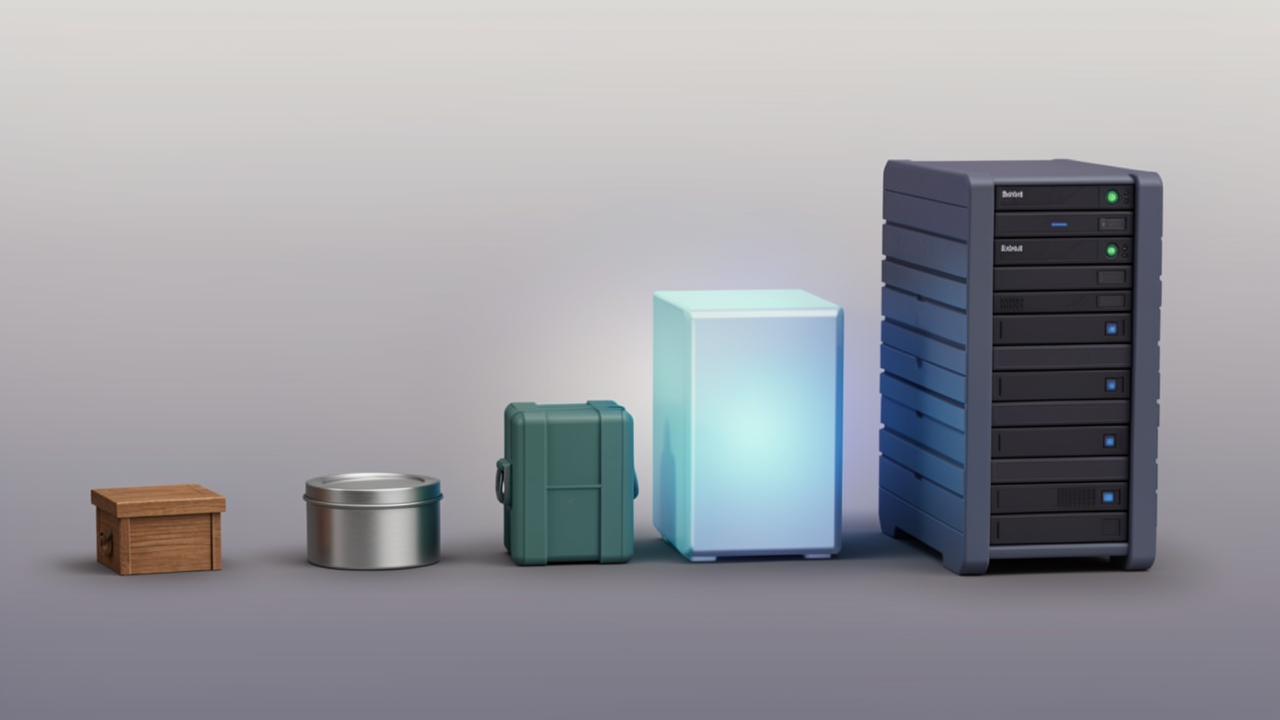
The lowest-cost option is also the lowest-commitment one: any developer machine that already runs Docker Engine 24+ can clone the n8n Self-Hosted AI Starter Kit and bring the full five-service stack (n8n, PostgreSQL, Ollama, Qdrant, n8n-import) online in roughly 30 minutes. On Apple Silicon, the .env file needs OLLAMA_HOST=host.docker.internal:11434 so the containers can reach a local Ollama daemon. Cost is effectively zero beyond existing hardware, and the loop of "edit workflow, run, debug" stays short.
Verdict: the full starter kit is realistic for prototyping on any machine with at least 8 GB of RAM, but it is not a 24/7 platform.
A dedicated small server (an Intel NUC, a used mini-PC, or a low-wattage tower) is the standard step up. It stays always-on, fits small teams of roughly two to ten people, and consumes little power. The limit tends to be residential internet: most ISPs give asymmetric upload speeds and dynamic IP addresses, so exposing webhooks reliably requires a tunnel or reverse proxy. Hardware can usually be sized at 16 GB of RAM, which comfortably covers n8n, PostgreSQL, Qdrant, and a small Ollama model like Llama 3.2 (3B).
Verdict: the full starter kit runs well, and small-to-mid Ollama models are realistic on a 16 GB NUC.
Pi-class boards are appealing for their idle power draw measured in single-digit watts, but RAM is the binding constraint. With typically 4 GB or 8 GB of memory, the full stack (n8n plus PostgreSQL plus Ollama plus Qdrant) leaves little headroom for a useful local LLM. A workable pattern is to run n8n and Qdrant on the Pi and call an external API for inference, keeping the device as a thin automation node rather than an AI host.
Verdict: the full starter kit including Ollama is not realistic; running Ollama on a separate host and keeping n8n and Qdrant on the Pi is the practical split.
A modest Linux VPS is the default for solo developers and small teams who need reliable 24/7 access without owning hardware. Common plans in the $5 to $20 per month range supply 2 to 4 vCPUs and 4 to 8 GB of RAM, which is enough to run n8n, PostgreSQL, and Qdrant comfortably. Adding Ollama in-process tends to push requirements toward the 8 GB minimum documented for the n8n starter kit prerequisites, so a $20 plan with 8 GB is the realistic floor if local inference is desired.
Verdict: the full starter kit is realistic on a $20/month, 8 GB VPS for non-GPU Ollama models; smaller VPS plans can drop Ollama and use an API.
The top tier covers enterprises with strict compliance, data-sovereignty, or air-gapping requirements. Deployments on VMware vSphere, Proxmox clusters, or dedicated GPU servers give full control over hardware, network segmentation, and backups. This is also the only tier where larger Ollama models become practical; for example, a 7B model in 4-bit quantization needs roughly 5 to 6 GB of RAM, and a 70B model like Llama 3.1 realistically needs a GPU server.
Verdict: the full starter kit is realistic, including the heaviest Ollama models, once a GPU-equipped node is in place.

Hardware budgets for the n8n Self-Hosted AI Starter Kit split into two layers: the orchestration plane (n8n plus PostgreSQL) and the AI plane (Ollama, optionally Qdrant). Each layer has its own minimum, and the two rarely peak at the same time, so they should be sized independently.
Running n8n with PostgreSQL but no local models needs surprisingly little:
This floor fits a Raspberry Pi 4/5, an old x86 laptop, or the cheapest2 GB VPS tier — enough for workflows that only call external LLM APIs.
The moment Ollama enters the stack, memory becomes the binding constraint. A practical rule of thumb at the common Q4_K_M quantization is about 0.6 GB per billion parameters, plus 2–8 GB of overhead for KV cache, context length, OS, and any other services sharing the box. Concrete examples at Q4_K_M:
Because these figures assume a moderate context window, longer contexts, parallel requests, or higher-quality quantizations all push requirements higher.
Treat Ollama as its own resource domain rather than folding it into n8n's metrics. Local model memory usage varies with the active model, quantization, context length, and concurrent requests, so a single n8n CPU/RAM gauge will hide Ollama swaps and OOM kills. Useful signals to watch on the AI side include resident-set size of the Ollama process, VRAM allocation, and queue depth on the Ollama HTTP port. The orchestration side still benefits from watching PostgreSQL connections, execution-history disk growth, and webhook bursts — issues that are independent of model choice.
Sources: n8n Self-Hosted AI Workflow Automation Guide (effloow.com), Memory Requirements for Local LLMs (Corsair), RAM requirements for local LLMs (ModelFit)
The starter kit ships with n8nio/n8n:latest, which is acceptable for experimentation but unsafe for anything real. Replace the tag in docker-compose.yml with a specific release such as n8nio/n8n:2.25.6 so container restarts do not silently pull breaking changes. Before bumping the version, take a backup, skim the n8n release notes for node or credential changes, and roll the new image through a staging environment first (effloow.com).
The same caution applies to PostgreSQL, Ollama, and Qdrant: pin each tag explicitly and review changelogs before upgrading.
Directly exposing port 5678 to the internet is the fastest way to invite credential-stuffing attempts. Put n8n behind Caddy or Nginx, keep only ports 80 and 443 open on the host firewall, and let the proxy handle TLS. A minimal Caddy overlay looks like this:
n8n.yourdomain.com {
    reverse_proxy n8n:5678
}
Set WEBHOOK_URL=https://n8n.yourdomain.com in the n8n environment so webhook callbacks resolve correctly, and let Caddy provision and renew certificates through Let's Encrypt (effloow.com). Nginx with Certbot is an equally valid alternative if your team already standardises on it.
High-frequency workflows can flood PostgreSQL with execution rows in a matter of days. Configure n8n's execution-data pruning settings — typically a retention window of a few days plus a hard row cap — and apply the same policy to binary data on the n8n_storage volume. Without this step, a busy automation stack will eventually stall on a full disk (effloow.com).
n8n's state lives in two places: workflow definitions, credentials, and execution logs inside PostgreSQL, and binary blobs plus the on-disk encryption key inside the n8n_storage volume. A practical routine combines both:
docker compose exec -T postgres pg_dump -U n8n_user n8n for the databasedocker run --rm -v n8n_storage:/data -v $BACKUP_DIR:/backup alpine tar czf /backup/n8n-storage.tar.gz -C /data . for the volumeRun the script on a daily cron schedule and ship the artefacts to a different host — S3, Backblaze, rsync to a second VPS, or whatever your existing backup policy uses (effloow.com).
N8N_ENCRYPTION_KEY wraps every saved credential in the database, and N8N_USER_MANAGEMENT_JWT_SECRET signs session tokens. Generate both with openssl rand -hex 32, store them in a password manager, and keep .env out of version control. Changing the encryption key afterwards renders every previously stored credential unreadable, so set it once, correctly, and back it up alongside your database dumps (effloow.com).
The official Self-Hosted AI Starter Kit is, by design, a launchpad: it gets five services onto a single host quickly, but production use still requires deliberate choices about image versions, network exposure, retention, and secrets. Treat the kit as a starting point and harden credentials, network access, and data retention before pointing any real workflow at it.