

Mobile testing frameworks differ most in where they execute, how they communicate with the application, and how they decide that the UI is ready for the next interaction. Appium uses the WebDriver ecosystem, Espresso and XCUITest integrate closely with their native platforms, Detox targets React Native synchronization, and Maestro emphasizes declarative flows. This article compares those architectures so teams can choose based on platform coverage, synchronization behavior, maintenance cost, and debugging needs.

After that Tuesday incident, I stopped comparing frameworks by their APIs and started asking a more basic question: where does each tool physically sit relative to my app? Outside the process, inside it, or somewhere in between — that single variable predicts flakiness better than any feature list. Syntax is easy to learn. Architecture is what decides whether your suite is still stable in month six.
Appium is server-based: it drives your app from the outside through the WebDriver protocol, like a user who can only see the screen. That distance gives it one genuine advantage — since it isn't trapped inside the app, it can reach things the app doesn't own, such as permission dialogs and system notifications.
The cost is blindness. Appium has no visibility into the app's internal state and no built-in waits — it simply doesn't know whether a screen has finished loading. Stability becomes your job:
Skip any of these and Appium will happily tap a button that doesn't exist yet. That is exactly the failure mode that cost me those two days.
Espresso takes the opposite position: it runs inside your app's process and automatically waits for the UI thread to become idle before acting. It doesn't guess when the app is ready — it knows. The payoff shows in the numbers: a reported 99.94% accuracy rate. When I look at that figure, the logic holds: if the framework can see whether the app is busy, timing nearly disappears as a failure category.
Detox extends the same philosophy to React Native. It runs directly within the app's environment and tracks internal activity — animations, network requests, and timers — until they complete. Same "inside" idea, but the visibility covers everything the runtime is doing, not just the UI thread.
XCUITest sits in between. It is stitched into Xcode and far more aware of the app than any external driver, yet it remains gray-box: it pushes synchronization work onto the developer. For anything asynchronous — say, a screen that transitions after a network call — you must write explicit delays and custom wait conditions yourself. You get a native home in Apple's toolchain, but not an autopilot.
Maestro attacks timing from a different angle entirely. It is an interpreted, declarative engine: you describe flows in plain YAML, and the engine manages UI synchronization automatically, letting elements load and settle with no manual sleep commands or timeouts. Its own documentation states the philosophy plainly: it "embraces the instability of mobile applications and devices and tries to counter it."
Here is the mental model I now use before writing a single test:
None of these positions is objectively best. Each one simply prices its convenience differently — and the rest of this comparison breaks down exactly what that price looks like per platform.

The framework from my Tuesday story was Appium. And to be fair to it, the culprit was never broken code — it was me choosing an outside-in architecture for tests that needed patience built in. Once I mapped how Appium actually works, its behavior stopped looking random.
Appium is open-source under an Apache 2.0 license, and its core idea is refreshingly simple: automate mobile apps over the WebDriver protocol. If your team already writes Selenium tests, this is the fastest onboarding win in this entire comparison — Appium extends the same standard to mobile, so the mental model transfers in an afternoon, not a quarter.
Architecturally, Appium runs as a server that sits between my test code and the device. Tracing a single tap through the stack:
The drivers are where the real work happens:
This delegation is what makes Appium a true black-box tool: it never touches the app's source code, so no test hooks or extra dependencies land in your build. It also lets Appium interact with system-level elements like permission dialogs and notifications — surfaces that in-process tools genuinely struggle to reach. The breadth is what keeps teams loyal:
Every strength above has an invoice attached, and I've paid all of them:
Scaling adds real money too: real-device iOS testing requires the $99/year Apple Developer Program membership, and most teams eventually pair Appium with cloud device farms like BrowserStack, LambdaTest, or a self-hosted Appium Grid.
The learning curve is steep and assumes SDET-level skills — this is not a tool I'd hand to a team on a Friday afternoon. Still, as QA Wolf puts it, "Appium remains the industry standard for cross-platform native and hybrid E2E testing," and I won't argue with that. You get one API for every platform, in exchange for real infrastructure work. But if your tests only live on a single native platform, it's worth seeing what happens when the test runs inside the app's process — which is exactly Espresso's territory.
If Appium is the framework watching your app from the outside, Espresso is the one that moves in. Google's official UI testing framework for Android runs directly within the app's process, and that single design decision gives it something no external tool can have: direct access to the app's memory and the main UI thread. When I compare the two architectures side by side, this is where the timing problem I described at the start gets solved at the root instead of patched over with manual waits.
The centerpiece of the design is automatic synchronization with the UI thread. Before Espresso performs any action, it waits for the UI thread to reach an idle state, and it uses idling resources to get there — components that actively monitor background tasks, animations, and network requests. In practice, the framework physically cannot tap a button before the app has finished loading it, which is exactly the failure mode that cost me two days of debugging.
The payoff is measurable: a 99.94% accuracy rate, with test behavior that is stable, predictable, and largely immune to timing-related flakiness. Reviewers confirm this — 4.6/5 on G2 and 4.8/5 on TestSprite — and the word "deterministic" shows up constantly in the praise.
Because there is no external communication layer, Espresso skips out-of-process round trips entirely, and that gives it a clear performance edge over client-server designs. This is why it works so well for rapid feedback during active development and holds up under large-scale in-app testing across development cycles. The tooling supports that workflow well:
The limitations I see here come from the architecture itself, so no roadmap update will remove them:
My read: if you are an Android-only team and your tests are written by developers, Espresso is the accuracy benchmark that every other framework gets measured against. The moment your product spans both platforms, though, you need its mirror image on the iOS side — and that is exactly the role XCUITest fills.
After Espresso, XCUITest moves us into Apple's home territory. This is the framework stitched directly into the Xcode IDE, and it holds an interesting position in the architecture spectrum: XCUITest is a gray-box framework, validating what the user sees on screen while still reaching into the app's internal state. Tests are written in Swift or Objective-C — the same languages used to build the app itself — and both UIKit and SwiftUI are supported. The test suite stays close to the codebase, usually living inside the same project the developers ship from.
When I map these frameworks against each other, one contrast stands out immediately. Espresso sits inside the process and knows when the app is busy; XCUITest — despite being Apple's official, native option — hands the waiting problem back to you. Developers must handle UI transitions and asynchronous operations manually, which in practice means:
That manual burden maps directly to test stability: handle it carelessly and you get flaky tests — the exact disease this whole comparison is trying to cure. Performance, though, is a genuine strength. Native integration gives XCUITest fast execution with minimal overhead, which makes it the strongest choice for a team building exclusively for Apple's ecosystem.
The requirements here are the strictest in the lineup:
The scope limitations mirror Espresso's almost exactly: XCUITest is excellent for in-app testing, but it struggles with system-level interactions such as managing notifications or handling permission dialogs. Plan on supplementary tools for those cases.
Scaling splits into two paths: a serious investment in Apple hardware, or a cloud device farm such as Sauce Labs, which offers over 9,000 real devices. To speed up feedback cycles, teams run tests in parallel across multiple CI runners or Xcode Server.
Setup itself is the easy part — the framework is native to Xcode, so installation effort rates low. The moderate learning curve comes entirely from needing Swift or Objective-C, which keeps XCUITest firmly in the hands of iOS developers rather than QA generalists.

Remember the framework from my intro that kept tapping buttons before my app finished loading them? Detox is designed to make that exact failure mode structurally impossible — with one condition attached: your app has to be built with React Native. Detox is an open-source framework created specifically for automating UI tests in React Native applications, and its entire design philosophy rests on one method: gray-box testing.
The architectural gap between Detox and black-box tools like Appium is fundamental. Appium interacts with my app through an external server, so it has zero visibility into what the app is doing internally — it can only guess whether the UI is ready. Detox takes the opposite route: it runs directly within the app's environment. Because the test logic sits inside rather than outside, Detox can observe the app's internal state and synchronize with it automatically.
The stability mechanism is concrete. Detox monitors:
This is why manual waits essentially disappear in Detox. I don't have to guess how long a screen needs to load, because the framework tracks the app's internal activity and only moves forward when everything is quiet. The result is a test suite that is both more efficient and more reliable at the same time — two goals that usually fight each other.
To push reliability even further, Detox recommends assigning unique identifiers, or Accessibility IDs, to UI elements. Tests then target stable hooks instead of brittle selectors that break whenever a layout changes. For React Native teams, there is an extra practical win: Detox works on both iOS and Android, so one synchronized approach covers the entire app.
When I look at comparison tables of the major open-source mobile testing frameworks, Detox consistently appears as the ideal option for React Native apps, and the reason is precisely this stable, synchronized execution. It is also the only framework in this comparison whose gray-box architecture is coupled to a single application technology.
That last point is both Detox's strength and its limit:
So Detox rewards a very specific kind of team: one fully invested in React Native that wants flakiness solved at the architectural level rather than patched with sleep statements. For everyone else, the same coupling that makes it stable also makes it largely irrelevant.

After four frameworks that each fight flakiness in their own way — Appium with manual waits, Espresso with main-thread idle monitoring, Detox with injected synchronization — Maestro takes the most honest architectural position of the group: it stops pretending that mobile apps are stable. The documentation states the philosophy without apology: "Maestro embraces the instability of mobile applications and devices and tries to counter it."
Maestro runs on an interpreted execution model. You describe user journeys — called Flows — in YAML files, stating what should happen rather than how. Because there is no compilation step, the feedback loop collapses: I can edit a flow and rerun it instantly, with none of the Gradle or Xcode build cycles that Espresso and XCUITest demand for every small change.
The whole tool ships as a single binary. No drivers, no SDK injected into my app, no complicated configuration. Setup is minimal and CLI-based, and the learning curve lands at roughly one week — a figure that sounds almost suspicious after what Appium's environment typically costs a team.
Flakiness control lives inside the engine, not in my test code. Maestro manages UI synchronization automatically, waiting for elements to load and settle before touching them — no manual sleeps, no hand-tuned timeouts. Element location follows the same logic: instead of fragile XPaths or element IDs, Maestro reads the screen the way a real user does, matching text and visual cues. If the button says "Log in," the flow looks for the button that says "Log in."
The real-world results support the design:
Microsoft, Amazon, DoorDash, and Meta all use Maestro — the kind of adoption list a tool earns only by removing a pain everyone recognizes.
A single YAML dialect covers:
The same Flow runs against whichever surface your app exposes, which eliminates platform-specific test code entirely. To me, that reveals where the abstraction sits: above any specific UI toolkit, working with text and pixels instead of component trees.
Maestro Studio pushes accessibility even further — a free no-code desktop app with a built-in element inspector and an interactive command generator that suggests test commands as you click on elements. Developers, QA testers, and even product managers can build flows visually.
Maestro's AI history is the most instructive part of the story. The founder built a runtime AI feature that executed plain-English tests via agents, shipped it — and then shut it down. His conclusion: use AI to author the test, then run it deterministically, because putting the model at runtime sacrifices the one property an end-to-end test must have: determinism.
That lesson is now baked into the product differently:
The main weakness is device scope: Maestro is limited to emulators and simulators, so teams whose release gate depends on real hardware need to weigh that trade carefully.
This loops back to the Tuesday-failing test that opened this article. That tap-before-load failure is exactly the class of bug Maestro's architecture refuses to let exist — the mistake isn't caught by a retry; it's never written in the first place.
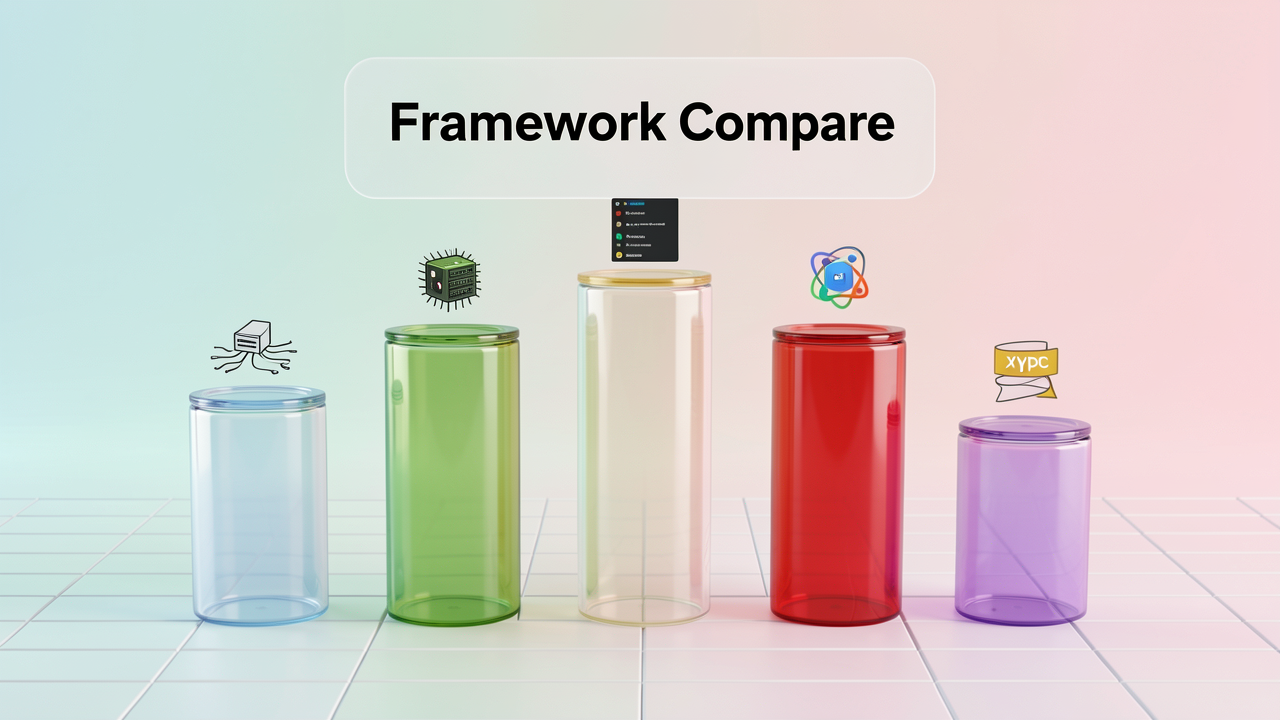
Lining all five frameworks up side by side, I notice the same pattern repeating in every row of the comparison: each architecture's main strength and main weakness are two sides of the same design decision. The tools that automate the waiting give up device reach; the tools that run deep inside one platform give up cross-platform coverage. Here is how the trade-offs actually stack up.
Looking at the hard data, the native-first group leads: Espresso posts a 99.94% accuracy rate — the highest in this comparison — backed by ratings of 4.6/5 on G2 and 4.8/5 on TestSprite. That figure makes sense to me given its in-process design; when the test runs inside the app's main thread, there is simply less timing drift to go wrong. Maestro competes from the opposite direction: its automatic synchronization produces documented real-world reductions in both flakiness and test-authoring time, which matters just as much when your bottleneck is how quickly humans can write tests.
On ecosystem, nothing else comes close to Appium. With 21,000+ GitHub stars and mature integrations across BrowserStack, LambdaTest, and self-hosted Appium Grids, it is the benchmark for cloud device-farm support. For iOS scaling in particular, Sauce Labs offers 9,000+ real devices, which is where Appium and XCUITest teams usually land once simulator coverage stops being enough. Espresso and XCUITest, by contrast, inherit their tooling from Android Studio and Xcode rather than building an independent community.
The cost structure looks flat at first glance — all five are free and open source (Appium under Apache 2.0). But I would push back on the word "free." Real iOS-device testing adds a $99/year Apple Developer Program fee for both Appium and XCUITest, and once you scale past a local machine, cloud device subscriptions and CI infrastructure become the real line items. The framework costs nothing; the device fleet is another story.
The side-by-side view confirms what my Tuesday failure taught me: there is no universally best framework here, only a best match for your platform, your team's skills, and the flakiness you can tolerate.

After taking apart all five architectures and looking at the evidence from real teams, the decision framework turns out to be surprisingly clean — and it has almost nothing to do with which tool has the most impressive feature list. It maps directly to your team context: the platforms you ship to, the languages your developers already speak, and how much flakiness your CI pipeline can absorb. The Tuesday test that opened this article failed because of an architecture mismatch, not bad code, and that is exactly the mistake this section exists to prevent.
If your team writes Kotlin or Java and lives in Android Studio, Espresso is the solid choice. Execution is fast and synchronized because tests run inside the app's process, and it pairs naturally with a Gradle-based pipeline. One thing I always flag before a team commits: Espresso only sees your own app. For system-level elements like notifications and permission dialogs, you will need to add UIAutomator2 alongside it — plan for that pairing from day one rather than bolting it on later.
For an Xcode/Swift team, XCUITest is the logical option. You get native performance and tight Xcode integration, but three tradeoffs deserve honest attention:
When you need Android plus iOS coverage and your team's tech stack varies, Appium's flexibility is hard to beat. It supports Java, JavaScript, Python, Ruby, C#, and PHP, and its mature ecosystem connects directly to device farms like BrowserStack and LambdaTest. But I would be misleading you if I stopped there. Appium carries a steeper learning curve, realistically demands SDET-level skills to maintain, and because wait handling is manual, test creation becomes more complex and more prone to flakiness. Flexibility always charges a price — Appium's currency is stability and expertise.
For React Native teams, Detox is the purpose-built answer. Its gray-box synchronization tracks animations, network requests, and timers, and only interacts with the app when it is genuinely idle. That is precisely the mechanism that would have prevented my Tuesday failure — no manual waits, no tapping buttons before they finish loading.
If fast test creation matters more than deep control, Maestro stands out. Its declarative YAML syntax reads almost like plain instructions, which means manual testers and product managers can genuinely write and maintain tests. The numbers back this up:
That is what removing the synchronization burden does to a test suite.
The real-world evidence points toward a hybrid stance rather than a single winner. Native-first frameworks win on in-process accuracy and speed per platform, while a cross-platform layer — Appium or Maestro — covers journey-level flows and system dialogs that Espresso and XCUITest cannot reach on their own. That is the model I would evaluate for any team: choose each layer by platform, by the accuracy the layer needs, and by the flakiness you are willing to tolerate.